 Mini PC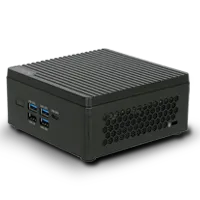
%20--%3e%3csvg%20version='1.1'%20xmlns='http://www.w3.org/2000/svg'%20xmlns:xlink='http://www.w3.org/1999/xlink'%20x='0px'%20y='0px'%20viewBox='0%200%2044%2044'%20style='enable-background:new%200%200%2044%2044;'%20xml:space='preserve'%3e%3cstyle%20type='text/css'%3e%20.st0{fill:%23FFFFFF;}%20.st1{display:none;}%20.st2{display:inline;}%20%3c/style%3e%3cg%20id='Motherboard'%3e%3cg%3e%3cg%3e%3cpath%20class='st0'%20d='M41.2,42.2H3.7c-0.5,0-1-0.4-1-1V21c-0.5,0-1-0.4-1-1v-3.8c0-0.5,0.4-1,1-1v-1.9c-0.5,0-1-0.4-1-1V7.6%20c0-0.5,0.4-1,1-1V2.8c0-0.5,0.4-1,1-1h37.5c0.5,0,1,0.4,1,1v38.4C42.2,41.7,41.7,42.2,41.2,42.2z%20M4.7,40.3h35.5V3.7H4.7v3.8%20c0,0.5-0.4,1-1,1v2.9c0.5,0,1,0.4,1,1v3.8c0,0.5-0.4,1-1,1v1.9c0.5,0,1,0.4,1,1V40.3z'/%3e%3c/g%3e%3cpath%20class='st0'%20d='M23,14.3v-1.9H21v-1.9c0-0.5-0.4-1-1-1h-1.9V7.6h-1.9v1.9h-1.9V7.6h-1.9v1.9h-1.9c-0.5,0-1,0.4-1,1v1.9H7.6%20v1.9h1.9v1.9H7.6v1.9h1.9v1.9c0,0.5,0.4,1,1,1h1.9V23h1.9V21h1.9V23h1.9V21h1.9c0.5,0,1-0.4,1-1v-1.9H23v-1.9H21v-1.9H23z%20M19.1,19.1h-7.7v-7.7h7.7V19.1z'/%3e%3cg%3e%3crect%20x='34.5'%20y='19.1'%20class='st0'%20width='1.9'%20height='1.9'/%3e%3c/g%3e%3cg%3e%3crect%20x='34.5'%20y='34.5'%20class='st0'%20width='1.9'%20height='1.9'/%3e%3c/g%3e%3cg%3e%3crect%20x='34.5'%20y='23'%20class='st0'%20width='1.9'%20height='9.6'/%3e%3c/g%3e%3cg%3e%3crect%20x='30.6'%20y='19.1'%20class='st0'%20width='1.9'%20height='1.9'/%3e%3c/g%3e%3cg%3e%3crect%20x='30.6'%20y='34.5'%20class='st0'%20width='1.9'%20height='1.9'/%3e%3c/g%3e%3cg%3e%3crect%20x='30.6'%20y='23'%20class='st0'%20width='1.9'%20height='9.6'/%3e%3c/g%3e%3cg%3e%3cpath%20class='st0'%20d='M35.4,17.2h-8.6c-0.5,0-1-0.4-1-1v-5.8c0-0.5,0.4-1,1-1h8.6c0.5,0,1,0.4,1,1v5.8%20C36.4,16.8,36,17.2,35.4,17.2z%20M27.8,15.3h6.7v-3.8h-6.7V15.3z'/%3e%3c/g%3e%3cg%3e%3crect%20x='7.6'%20y='26.8'%20class='st0'%20width='20.2'%20height='1.9'/%3e%3c/g%3e%3cg%3e%3crect%20x='7.6'%20y='30.6'%20class='st0'%20width='20.2'%20height='1.9'/%3e%3c/g%3e%3cg%3e%3crect%20x='7.6'%20y='34.5'%20class='st0'%20width='20.2'%20height='1.9'/%3e%3c/g%3e%3c/g%3e%3c/g%3e%3cg%20id='laptop'%20class='st1'%3e%3cg%20class='st2'%3e%3cg%3e%3cpath%20class='st0'%20d='M40.9,32.3h-1.5V10.6c0-0.6-0.5-1-1-1H5.7c-0.6,0-1,0.5-1,1v21.7H3.1V10.6C3.1,9.2,4.3,8,5.7,8h32.6%20c1.4,0,2.6,1.2,2.6,2.6V32.3z'/%3e%3c/g%3e%3cg%3e%3cpath%20class='st0'%20d='M39.2,36.7H4.8c-2.4,0-4.4-2-4.4-4.4v-0.8h17.4l0.9,0.9h6.6l0.9-0.9h17.4v0.8C43.6,34.7,41.6,36.7,39.2,36.7%20z%20M2.1,33.1c0.3,1.2,1.4,2.1,2.7,2.1h34.4c1.3,0,2.4-0.9,2.7-2.1H26.8L25.9,34h-7.9l-0.9-0.9H2.1z'/%3e%3c/g%3e%3c/g%3e%3c/g%3e%3cg%20id='system'%20class='st1'%3e%3cg%20class='st2'%3e%3cg%3e%3crect%20x='3.6'%20y='11'%20class='st0'%20width='5'%20height='1.7'/%3e%3c/g%3e%3cg%3e%3crect%20x='3.6'%20y='14.9'%20class='st0'%20width='5'%20height='1.7'/%3e%3c/g%3e%3cg%3e%3crect%20x='3.6'%20y='18.8'%20class='st0'%20width='5'%20height='1.7'/%3e%3c/g%3e%3cg%3e%3crect%20x='19.3'%20y='36.1'%20class='st0'%20width='14.9'%20height='1.7'/%3e%3c/g%3e%3cg%3e%3cpath%20class='st0'%20d='M41.6,33.3H11.8c-1,0-1.8-0.8-1.8-1.8V12.3c0-1,0.8-1.8,1.8-1.8h29.8c1,0,1.8,0.8,1.8,1.8v19.3%20C43.4,32.5,42.6,33.3,41.6,33.3z%20M11.8,12.3v19.3h29.8l0-19.3H11.8z'/%3e%3c/g%3e%3cg%3e%3cpath%20class='st0'%20d='M26.7,37.7c-0.5,0-0.9-0.4-0.9-0.9v-4.4c0-0.5,0.4-0.9,0.9-0.9c0.5,0,0.9,0.4,0.9,0.9v4.4%20C27.6,37.3,27.2,37.7,26.7,37.7z'/%3e%3c/g%3e%3cg%3e%3cpath%20class='st0'%20d='M42.5,28.9H11c-0.5,0-0.9-0.4-0.9-0.9c0-0.5,0.4-0.9,0.9-0.9h31.5c0.5,0,0.9,0.4,0.9,0.9%20C43.4,28.5,43,28.9,42.5,28.9z'/%3e%3c/g%3e%3cg%3e%3cg%3e%3cg%3e%3cg%3e%3cpath%20class='st0'%20d='M7.6,31.3c-0.6,0-1.1,0.5-1.1,1.1c0,0.6,0.5,1.1,1.1,1.1s1.1-0.5,1.1-1.1C8.8,31.8,8.3,31.3,7.6,31.3%20L7.6,31.3z'/%3e%3c/g%3e%3c/g%3e%3c/g%3e%3c/g%3e%3cpath%20class='st0'%20d='M12.9,34.3C12.9,34.3,12.9,34.3,12.9,34.3l0,1.6H2.4v-28h10.5v1.6c0,0,0,0,0,0h1.7c0,0,0,0,0,0V7.9%20c0-1-0.8-1.8-1.8-1.8H2.4c-1,0-1.8,0.8-1.8,1.8v28c0,1,0.8,1.8,1.8,1.8h10.5c1,0,1.8-0.8,1.8-1.8v-1.6c0,0,0,0,0,0H12.9z'/%3e%3c/g%3e%3c/g%3e%3c/svg%3e) Motherboard
Motherboard%20--%3e%3csvg%20version='1.1'%20xmlns='http://www.w3.org/2000/svg'%20xmlns:xlink='http://www.w3.org/1999/xlink'%20x='0px'%20y='0px'%20viewBox='0%200%2044%2044'%20style='enable-background:new%200%200%2044%2044;'%20xml:space='preserve'%3e%3cstyle%20type='text/css'%3e%20.st0{display:none;}%20.st1{display:inline;}%20.st2{fill:%23FFFFFF;}%20%3c/style%3e%3cg%20id='Motherboard'%20class='st0'%3e%3cg%20class='st1'%3e%3cg%3e%3cpath%20class='st2'%20d='M42.2,43.2H2.8c-0.6,0-1-0.5-1-1V21c-0.6,0-1-0.5-1-1v-4c0-0.6,0.5-1,1-1v-2c-0.6,0-1-0.5-1-1v-5%20c0-0.6,0.5-1,1-1v-4c0-0.6,0.5-1,1-1h39.3c0.6,0,1,0.5,1,1v40.3C43.2,42.7,42.7,43.2,42.2,43.2z%20M3.8,41.2h37.3V2.8H3.8v4%20c0,0.6-0.5,1-1,1v3c0.6,0,1,0.5,1,1v4c0,0.6-0.5,1-1,1v2c0.6,0,1,0.5,1,1V41.2z'/%3e%3c/g%3e%3cpath%20class='st2'%20d='M23,13.9v-2h-2v-2c0-0.6-0.5-1-1-1h-2v-2h-2v2h-2v-2h-2v2h-2c-0.6,0-1,0.5-1,1v2h-2v2h2v2h-2v2h2v2%20c0,0.6,0.5,1,1,1h2v2h2v-2h2v2h2v-2h2c0.6,0,1-0.5,1-1v-2h2v-2h-2v-2H23z%20M19,19h-8.1v-8.1H19V19z'/%3e%3cg%3e%3crect%20x='35.1'%20y='19'%20class='st2'%20width='2'%20height='2'/%3e%3c/g%3e%3cg%3e%3crect%20x='35.1'%20y='35.1'%20class='st2'%20width='2'%20height='2'/%3e%3c/g%3e%3cg%3e%3crect%20x='35.1'%20y='23'%20class='st2'%20width='2'%20height='10.1'/%3e%3c/g%3e%3cg%3e%3crect%20x='31.1'%20y='19'%20class='st2'%20width='2'%20height='2'/%3e%3c/g%3e%3cg%3e%3crect%20x='31.1'%20y='35.1'%20class='st2'%20width='2'%20height='2'/%3e%3c/g%3e%3cg%3e%3crect%20x='31.1'%20y='23'%20class='st2'%20width='2'%20height='10.1'/%3e%3c/g%3e%3cg%3e%3cpath%20class='st2'%20d='M36.1,17H27c-0.6,0-1-0.5-1-1V9.9c0-0.6,0.5-1,1-1h9.1c0.6,0,1,0.5,1,1v6.1C37.1,16.5,36.7,17,36.1,17z%20M28.1,14.9h7.1v-4h-7.1V14.9z'/%3e%3c/g%3e%3cg%3e%3crect%20x='6.9'%20y='27'%20class='st2'%20width='21.2'%20height='2'/%3e%3c/g%3e%3cg%3e%3crect%20x='6.9'%20y='31.1'%20class='st2'%20width='21.2'%20height='2'/%3e%3c/g%3e%3cg%3e%3crect%20x='6.9'%20y='35.1'%20class='st2'%20width='21.2'%20height='2'/%3e%3c/g%3e%3c/g%3e%3c/g%3e%3cg%20id='laptop'%3e%3cg%3e%3cg%3e%3cpath%20class='st2'%20d='M40.9,32.3h-1.5V10.6c0-0.6-0.5-1-1-1H5.7c-0.6,0-1,0.5-1,1v21.7H3.1V10.6C3.1,9.2,4.3,8,5.7,8h32.6%20c1.4,0,2.6,1.2,2.6,2.6V32.3z'/%3e%3c/g%3e%3cg%3e%3cpath%20class='st2'%20d='M39.2,36.7H4.8c-2.4,0-4.4-2-4.4-4.4v-0.8h17.4l0.9,0.9h6.6l0.9-0.9h17.4v0.8C43.6,34.7,41.6,36.7,39.2,36.7%20z%20M2.1,33.1c0.3,1.2,1.4,2.1,2.7,2.1h34.4c1.3,0,2.4-0.9,2.7-2.1H26.8L25.9,34h-7.9l-0.9-0.9H2.1z'/%3e%3c/g%3e%3c/g%3e%3c/g%3e%3cg%20id='system'%20class='st0'%3e%3cg%20class='st1'%3e%3cg%3e%3crect%20x='3.6'%20y='11'%20class='st2'%20width='5'%20height='1.7'/%3e%3c/g%3e%3cg%3e%3crect%20x='3.6'%20y='14.9'%20class='st2'%20width='5'%20height='1.7'/%3e%3c/g%3e%3cg%3e%3crect%20x='3.6'%20y='18.8'%20class='st2'%20width='5'%20height='1.7'/%3e%3c/g%3e%3cg%3e%3crect%20x='19.3'%20y='36.1'%20class='st2'%20width='14.9'%20height='1.7'/%3e%3c/g%3e%3cg%3e%3cpath%20class='st2'%20d='M41.6,33.3H11.8c-1,0-1.8-0.8-1.8-1.8V12.3c0-1,0.8-1.8,1.8-1.8h29.8c1,0,1.8,0.8,1.8,1.8v19.3%20C43.4,32.5,42.6,33.3,41.6,33.3z%20M11.8,12.3v19.3h29.8l0-19.3H11.8z'/%3e%3c/g%3e%3cg%3e%3cpath%20class='st2'%20d='M26.7,37.7c-0.5,0-0.9-0.4-0.9-0.9v-4.4c0-0.5,0.4-0.9,0.9-0.9c0.5,0,0.9,0.4,0.9,0.9v4.4%20C27.6,37.3,27.2,37.7,26.7,37.7z'/%3e%3c/g%3e%3cg%3e%3cpath%20class='st2'%20d='M42.5,28.9H11c-0.5,0-0.9-0.4-0.9-0.9c0-0.5,0.4-0.9,0.9-0.9h31.5c0.5,0,0.9,0.4,0.9,0.9%20C43.4,28.5,43,28.9,42.5,28.9z'/%3e%3c/g%3e%3cg%3e%3cg%3e%3cg%3e%3cg%3e%3cpath%20class='st2'%20d='M7.6,31.3c-0.6,0-1.1,0.5-1.1,1.1c0,0.6,0.5,1.1,1.1,1.1s1.1-0.5,1.1-1.1C8.8,31.8,8.3,31.3,7.6,31.3%20L7.6,31.3z'/%3e%3c/g%3e%3c/g%3e%3c/g%3e%3c/g%3e%3cpath%20class='st2'%20d='M12.9,34.3C12.9,34.3,12.9,34.3,12.9,34.3l0,1.6H2.4v-28h10.5v1.6c0,0,0,0,0,0h1.7c0,0,0,0,0,0V7.9%20c0-1-0.8-1.8-1.8-1.8H2.4c-1,0-1.8,0.8-1.8,1.8v28c0,1,0.8,1.8,1.8,1.8h10.5c1,0,1.8-0.8,1.8-1.8v-1.6c0,0,0,0,0,0H12.9z'/%3e%3c/g%3e%3c/g%3e%3c/svg%3e) Laptop
Laptop%20--%3e%3csvg%20version='1.1'%20id='圖層_2'%20xmlns='http://www.w3.org/2000/svg'%20xmlns:xlink='http://www.w3.org/1999/xlink'%20x='0px'%20y='0px'%20viewBox='0%200%2044%2044'%20style='enable-background:new%200%200%2044%2044;'%20xml:space='preserve'%3e%3cstyle%20type='text/css'%3e%20.st0{fill:%23FFFFFF;}%20%3c/style%3e%3cg%3e%3cg%3e%3crect%20x='10.6'%20y='37.3'%20class='st0'%20width='22.1'%20height='1.9'/%3e%3c/g%3e%3cg%3e%3cpath%20class='st0'%20d='M41.1,33H2.6c-1.1,0-1.9-0.9-1.9-1.9V6.5c0-1.1,0.9-1.9,1.9-1.9h38.5c1.1,0,1.9,0.9,1.9,1.9v24.6%20C43,32.2,42.2,33,41.1,33z%20M2.6,6.5v24.6h38.5l0-24.6H2.6z'/%3e%3c/g%3e%3cg%3e%3cpath%20class='st0'%20d='M24.7,39c-0.5,0-1-0.4-1-1v-4.8c0-0.5,0.4-1,1-1s1,0.4,1,1V38C25.7,38.6,25.3,39,24.7,39z'/%3e%3c/g%3e%3cg%3e%3cpath%20class='st0'%20d='M18.8,39c-0.5,0-1-0.4-1-1v-4.8c0-0.5,0.4-1,1-1s1,0.4,1,1V38C19.8,38.6,19.3,39,18.8,39z'/%3e%3c/g%3e%3cg%3e%3cpath%20class='st0'%20d='M41.6,28.2H2.1c-0.5,0-0.9-0.4-0.9-1c0-0.5,0.4-1,0.9-1h39.5c0.5,0,0.9,0.4,0.9,1%20C42.6,27.8,42.2,28.2,41.6,28.2z'/%3e%3c/g%3e%3c/g%3e%3c/svg%3e) AIO PC
AIO PC IPC
IPC CubeSat
'%3e%3cpath%20id='map-marker-alt'%20d='M3.819,11.121C.6,6.452,0,5.972,0,4.256a4.256,4.256,0,0,1,8.512,0c0,1.716-.6,2.2-3.819,6.865a.532.532,0,0,1-.875,0ZM4.256,6.03A1.773,1.773,0,1,0,2.483,4.256,1.773,1.773,0,0,0,4.256,6.03Z'%20transform='translate(-963.636%20287.322)'%20fill='%23fff'/%3e%3cpath%20id='Subtraction_8'%20data-name='Subtraction%208'%20d='M14.826,15.814a1.729,1.729,0,0,1-1.21-2.965H7.14a1.729,1.729,0,1,1-2.7.357,1.741,1.741,0,0,1,.629-.621L2.9,1.977H.741A.742.742,0,0,1,0,1.235V.741A.742.742,0,0,1,.741,0H3.908a.744.744,0,0,1,.726.593l.073.356,1.5,7.614,8.718-.032L16.3,1.977h.753a.741.741,0,0,1,.723.906l-1.46,6.424a.737.737,0,0,1-.723.577H6.535l.2.988h8.291a.741.741,0,0,1,.723.906l-.17.75a1.73,1.73,0,0,1-.754,3.287Z'%20transform='translate(-970%20292.701)'%20fill='%23fff'/%3e%3c/g%3e%3c/svg%3e)
HogarProductosMotherboardPF4 Extreme
PF4 Extreme(V1.0) (no longer for sale)
PF4 Extreme(V1.0) (no longer for sale)
FAQs for This Model
help_outline
(1) What is the voltage for PCI Expressx16 (PCI-E1)slot on PF4? (2) What is the voltage for PCI Express x2 (PCI-E2/E3) on PF4? What device can it be used with? (3) What does "Dual Channel DDR" mean on PF4?
1. The PF4 only support Express x16 (PCI-E1) and Express x1 (PCI-E2/E3) slot.
2. It didn't support Express x2 slot. These PCI Express slots only support +12V and +3V voltage. We did test the LAN card for PCI Express x1 and VGA card for PCI Express x16.
3. Please visit the following web site for Dual Channel DDR question. http://www.kingston.com/literature/MKF_495.pdf
2. It didn't support Express x2 slot. These PCI Express slots only support +12V and +3V voltage. We did test the LAN card for PCI Express x1 and VGA card for PCI Express x16.
3. Please visit the following web site for Dual Channel DDR question. http://www.kingston.com/literature/MKF_495.pdf
help_outline
Why does PF4 M/B not boot if we use a P4 J type 3.60G CPU?
It needs to update Microcode of the BIOS to support P4 3.60G J type CPU on PF4. Please update the BIOS to v1.1a or above version.
help_outline
Why is the Prescott Celeron D 2.8GHz(335j) CPU not recognized on PF4(1.1b BIOS)?
Please update BIOS to v1.1c or above version to patch this issue.
help_outline
I can't overclock PF4 v1.0 by ECSonic with BIOS v1.1a?
Please update BIOS to v1.1f on PF4 v1.0. Then un-install ECSonic & install ECSonic again.
help_outline
Why we put 4x1GB memory with only PCI-E 16x vga card without any other PCI cards, DOS detects 288358MB at boot up and Windows detects 2.75GB?
Due to PC architectural requirements such as motherboard resources and OS limitations,desktop platforms using 4GB or above memory may be unable to take full advantage of all memory populated on the system. The available memory may report approximately 3.12 GB or less depends on system configurations.
To take advantage of the system memory 4GB or above installed, the computer must meet the following requirements:
• An x64 (64-bit) version of Windows system.
• The chipset must support at least 8GB of address space.
• The BIOS must support the memory remapping feature.
• The CPU must support the X64 instruction set. The AMD64 CPU and the Intel EM64T CPU support this instruction set.
In addition, the 32-bit versions of Windows will reserve a portion of memory for critical system functions such as chipset, BIOS flash, PCI Express, etc. If you have 4GB installed, Windows will indicate less than 4GB is available.
To take advantage of the system memory 4GB or above installed, the computer must meet the following requirements:
• An x64 (64-bit) version of Windows system.
• The chipset must support at least 8GB of address space.
• The BIOS must support the memory remapping feature.
• The CPU must support the X64 instruction set. The AMD64 CPU and the Intel EM64T CPU support this instruction set.
In addition, the 32-bit versions of Windows will reserve a portion of memory for critical system functions such as chipset, BIOS flash, PCI Express, etc. If you have 4GB installed, Windows will indicate less than 4GB is available.
For more information, please refer to Microsoft knowledge base:
• http://support.microsoft.com/kb/929605/en-us
• http://support.microsoft.com/kb/888137/en-us
• http://support.microsoft.com/kb/929605/en-us
• http://support.microsoft.com/kb/888137/en-us
More Question?
Please click General FAQ or fill out Technical Support Form to submit your question.