 Mini PC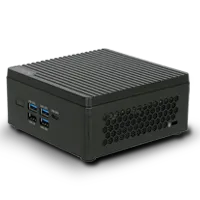
%20--%3e%3csvg%20version='1.1'%20xmlns='http://www.w3.org/2000/svg'%20xmlns:xlink='http://www.w3.org/1999/xlink'%20x='0px'%20y='0px'%20viewBox='0%200%2044%2044'%20style='enable-background:new%200%200%2044%2044;'%20xml:space='preserve'%3e%3cstyle%20type='text/css'%3e%20.st0{fill:%23FFFFFF;}%20.st1{display:none;}%20.st2{display:inline;}%20%3c/style%3e%3cg%20id='Motherboard'%3e%3cg%3e%3cg%3e%3cpath%20class='st0'%20d='M41.2,42.2H3.7c-0.5,0-1-0.4-1-1V21c-0.5,0-1-0.4-1-1v-3.8c0-0.5,0.4-1,1-1v-1.9c-0.5,0-1-0.4-1-1V7.6%20c0-0.5,0.4-1,1-1V2.8c0-0.5,0.4-1,1-1h37.5c0.5,0,1,0.4,1,1v38.4C42.2,41.7,41.7,42.2,41.2,42.2z%20M4.7,40.3h35.5V3.7H4.7v3.8%20c0,0.5-0.4,1-1,1v2.9c0.5,0,1,0.4,1,1v3.8c0,0.5-0.4,1-1,1v1.9c0.5,0,1,0.4,1,1V40.3z'/%3e%3c/g%3e%3cpath%20class='st0'%20d='M23,14.3v-1.9H21v-1.9c0-0.5-0.4-1-1-1h-1.9V7.6h-1.9v1.9h-1.9V7.6h-1.9v1.9h-1.9c-0.5,0-1,0.4-1,1v1.9H7.6%20v1.9h1.9v1.9H7.6v1.9h1.9v1.9c0,0.5,0.4,1,1,1h1.9V23h1.9V21h1.9V23h1.9V21h1.9c0.5,0,1-0.4,1-1v-1.9H23v-1.9H21v-1.9H23z%20M19.1,19.1h-7.7v-7.7h7.7V19.1z'/%3e%3cg%3e%3crect%20x='34.5'%20y='19.1'%20class='st0'%20width='1.9'%20height='1.9'/%3e%3c/g%3e%3cg%3e%3crect%20x='34.5'%20y='34.5'%20class='st0'%20width='1.9'%20height='1.9'/%3e%3c/g%3e%3cg%3e%3crect%20x='34.5'%20y='23'%20class='st0'%20width='1.9'%20height='9.6'/%3e%3c/g%3e%3cg%3e%3crect%20x='30.6'%20y='19.1'%20class='st0'%20width='1.9'%20height='1.9'/%3e%3c/g%3e%3cg%3e%3crect%20x='30.6'%20y='34.5'%20class='st0'%20width='1.9'%20height='1.9'/%3e%3c/g%3e%3cg%3e%3crect%20x='30.6'%20y='23'%20class='st0'%20width='1.9'%20height='9.6'/%3e%3c/g%3e%3cg%3e%3cpath%20class='st0'%20d='M35.4,17.2h-8.6c-0.5,0-1-0.4-1-1v-5.8c0-0.5,0.4-1,1-1h8.6c0.5,0,1,0.4,1,1v5.8%20C36.4,16.8,36,17.2,35.4,17.2z%20M27.8,15.3h6.7v-3.8h-6.7V15.3z'/%3e%3c/g%3e%3cg%3e%3crect%20x='7.6'%20y='26.8'%20class='st0'%20width='20.2'%20height='1.9'/%3e%3c/g%3e%3cg%3e%3crect%20x='7.6'%20y='30.6'%20class='st0'%20width='20.2'%20height='1.9'/%3e%3c/g%3e%3cg%3e%3crect%20x='7.6'%20y='34.5'%20class='st0'%20width='20.2'%20height='1.9'/%3e%3c/g%3e%3c/g%3e%3c/g%3e%3cg%20id='laptop'%20class='st1'%3e%3cg%20class='st2'%3e%3cg%3e%3cpath%20class='st0'%20d='M40.9,32.3h-1.5V10.6c0-0.6-0.5-1-1-1H5.7c-0.6,0-1,0.5-1,1v21.7H3.1V10.6C3.1,9.2,4.3,8,5.7,8h32.6%20c1.4,0,2.6,1.2,2.6,2.6V32.3z'/%3e%3c/g%3e%3cg%3e%3cpath%20class='st0'%20d='M39.2,36.7H4.8c-2.4,0-4.4-2-4.4-4.4v-0.8h17.4l0.9,0.9h6.6l0.9-0.9h17.4v0.8C43.6,34.7,41.6,36.7,39.2,36.7%20z%20M2.1,33.1c0.3,1.2,1.4,2.1,2.7,2.1h34.4c1.3,0,2.4-0.9,2.7-2.1H26.8L25.9,34h-7.9l-0.9-0.9H2.1z'/%3e%3c/g%3e%3c/g%3e%3c/g%3e%3cg%20id='system'%20class='st1'%3e%3cg%20class='st2'%3e%3cg%3e%3crect%20x='3.6'%20y='11'%20class='st0'%20width='5'%20height='1.7'/%3e%3c/g%3e%3cg%3e%3crect%20x='3.6'%20y='14.9'%20class='st0'%20width='5'%20height='1.7'/%3e%3c/g%3e%3cg%3e%3crect%20x='3.6'%20y='18.8'%20class='st0'%20width='5'%20height='1.7'/%3e%3c/g%3e%3cg%3e%3crect%20x='19.3'%20y='36.1'%20class='st0'%20width='14.9'%20height='1.7'/%3e%3c/g%3e%3cg%3e%3cpath%20class='st0'%20d='M41.6,33.3H11.8c-1,0-1.8-0.8-1.8-1.8V12.3c0-1,0.8-1.8,1.8-1.8h29.8c1,0,1.8,0.8,1.8,1.8v19.3%20C43.4,32.5,42.6,33.3,41.6,33.3z%20M11.8,12.3v19.3h29.8l0-19.3H11.8z'/%3e%3c/g%3e%3cg%3e%3cpath%20class='st0'%20d='M26.7,37.7c-0.5,0-0.9-0.4-0.9-0.9v-4.4c0-0.5,0.4-0.9,0.9-0.9c0.5,0,0.9,0.4,0.9,0.9v4.4%20C27.6,37.3,27.2,37.7,26.7,37.7z'/%3e%3c/g%3e%3cg%3e%3cpath%20class='st0'%20d='M42.5,28.9H11c-0.5,0-0.9-0.4-0.9-0.9c0-0.5,0.4-0.9,0.9-0.9h31.5c0.5,0,0.9,0.4,0.9,0.9%20C43.4,28.5,43,28.9,42.5,28.9z'/%3e%3c/g%3e%3cg%3e%3cg%3e%3cg%3e%3cg%3e%3cpath%20class='st0'%20d='M7.6,31.3c-0.6,0-1.1,0.5-1.1,1.1c0,0.6,0.5,1.1,1.1,1.1s1.1-0.5,1.1-1.1C8.8,31.8,8.3,31.3,7.6,31.3%20L7.6,31.3z'/%3e%3c/g%3e%3c/g%3e%3c/g%3e%3c/g%3e%3cpath%20class='st0'%20d='M12.9,34.3C12.9,34.3,12.9,34.3,12.9,34.3l0,1.6H2.4v-28h10.5v1.6c0,0,0,0,0,0h1.7c0,0,0,0,0,0V7.9%20c0-1-0.8-1.8-1.8-1.8H2.4c-1,0-1.8,0.8-1.8,1.8v28c0,1,0.8,1.8,1.8,1.8h10.5c1,0,1.8-0.8,1.8-1.8v-1.6c0,0,0,0,0,0H12.9z'/%3e%3c/g%3e%3c/g%3e%3c/svg%3e) Motherboard
Motherboard%20--%3e%3csvg%20version='1.1'%20xmlns='http://www.w3.org/2000/svg'%20xmlns:xlink='http://www.w3.org/1999/xlink'%20x='0px'%20y='0px'%20viewBox='0%200%2044%2044'%20style='enable-background:new%200%200%2044%2044;'%20xml:space='preserve'%3e%3cstyle%20type='text/css'%3e%20.st0{display:none;}%20.st1{display:inline;}%20.st2{fill:%23FFFFFF;}%20%3c/style%3e%3cg%20id='Motherboard'%20class='st0'%3e%3cg%20class='st1'%3e%3cg%3e%3cpath%20class='st2'%20d='M42.2,43.2H2.8c-0.6,0-1-0.5-1-1V21c-0.6,0-1-0.5-1-1v-4c0-0.6,0.5-1,1-1v-2c-0.6,0-1-0.5-1-1v-5%20c0-0.6,0.5-1,1-1v-4c0-0.6,0.5-1,1-1h39.3c0.6,0,1,0.5,1,1v40.3C43.2,42.7,42.7,43.2,42.2,43.2z%20M3.8,41.2h37.3V2.8H3.8v4%20c0,0.6-0.5,1-1,1v3c0.6,0,1,0.5,1,1v4c0,0.6-0.5,1-1,1v2c0.6,0,1,0.5,1,1V41.2z'/%3e%3c/g%3e%3cpath%20class='st2'%20d='M23,13.9v-2h-2v-2c0-0.6-0.5-1-1-1h-2v-2h-2v2h-2v-2h-2v2h-2c-0.6,0-1,0.5-1,1v2h-2v2h2v2h-2v2h2v2%20c0,0.6,0.5,1,1,1h2v2h2v-2h2v2h2v-2h2c0.6,0,1-0.5,1-1v-2h2v-2h-2v-2H23z%20M19,19h-8.1v-8.1H19V19z'/%3e%3cg%3e%3crect%20x='35.1'%20y='19'%20class='st2'%20width='2'%20height='2'/%3e%3c/g%3e%3cg%3e%3crect%20x='35.1'%20y='35.1'%20class='st2'%20width='2'%20height='2'/%3e%3c/g%3e%3cg%3e%3crect%20x='35.1'%20y='23'%20class='st2'%20width='2'%20height='10.1'/%3e%3c/g%3e%3cg%3e%3crect%20x='31.1'%20y='19'%20class='st2'%20width='2'%20height='2'/%3e%3c/g%3e%3cg%3e%3crect%20x='31.1'%20y='35.1'%20class='st2'%20width='2'%20height='2'/%3e%3c/g%3e%3cg%3e%3crect%20x='31.1'%20y='23'%20class='st2'%20width='2'%20height='10.1'/%3e%3c/g%3e%3cg%3e%3cpath%20class='st2'%20d='M36.1,17H27c-0.6,0-1-0.5-1-1V9.9c0-0.6,0.5-1,1-1h9.1c0.6,0,1,0.5,1,1v6.1C37.1,16.5,36.7,17,36.1,17z%20M28.1,14.9h7.1v-4h-7.1V14.9z'/%3e%3c/g%3e%3cg%3e%3crect%20x='6.9'%20y='27'%20class='st2'%20width='21.2'%20height='2'/%3e%3c/g%3e%3cg%3e%3crect%20x='6.9'%20y='31.1'%20class='st2'%20width='21.2'%20height='2'/%3e%3c/g%3e%3cg%3e%3crect%20x='6.9'%20y='35.1'%20class='st2'%20width='21.2'%20height='2'/%3e%3c/g%3e%3c/g%3e%3c/g%3e%3cg%20id='laptop'%3e%3cg%3e%3cg%3e%3cpath%20class='st2'%20d='M40.9,32.3h-1.5V10.6c0-0.6-0.5-1-1-1H5.7c-0.6,0-1,0.5-1,1v21.7H3.1V10.6C3.1,9.2,4.3,8,5.7,8h32.6%20c1.4,0,2.6,1.2,2.6,2.6V32.3z'/%3e%3c/g%3e%3cg%3e%3cpath%20class='st2'%20d='M39.2,36.7H4.8c-2.4,0-4.4-2-4.4-4.4v-0.8h17.4l0.9,0.9h6.6l0.9-0.9h17.4v0.8C43.6,34.7,41.6,36.7,39.2,36.7%20z%20M2.1,33.1c0.3,1.2,1.4,2.1,2.7,2.1h34.4c1.3,0,2.4-0.9,2.7-2.1H26.8L25.9,34h-7.9l-0.9-0.9H2.1z'/%3e%3c/g%3e%3c/g%3e%3c/g%3e%3cg%20id='system'%20class='st0'%3e%3cg%20class='st1'%3e%3cg%3e%3crect%20x='3.6'%20y='11'%20class='st2'%20width='5'%20height='1.7'/%3e%3c/g%3e%3cg%3e%3crect%20x='3.6'%20y='14.9'%20class='st2'%20width='5'%20height='1.7'/%3e%3c/g%3e%3cg%3e%3crect%20x='3.6'%20y='18.8'%20class='st2'%20width='5'%20height='1.7'/%3e%3c/g%3e%3cg%3e%3crect%20x='19.3'%20y='36.1'%20class='st2'%20width='14.9'%20height='1.7'/%3e%3c/g%3e%3cg%3e%3cpath%20class='st2'%20d='M41.6,33.3H11.8c-1,0-1.8-0.8-1.8-1.8V12.3c0-1,0.8-1.8,1.8-1.8h29.8c1,0,1.8,0.8,1.8,1.8v19.3%20C43.4,32.5,42.6,33.3,41.6,33.3z%20M11.8,12.3v19.3h29.8l0-19.3H11.8z'/%3e%3c/g%3e%3cg%3e%3cpath%20class='st2'%20d='M26.7,37.7c-0.5,0-0.9-0.4-0.9-0.9v-4.4c0-0.5,0.4-0.9,0.9-0.9c0.5,0,0.9,0.4,0.9,0.9v4.4%20C27.6,37.3,27.2,37.7,26.7,37.7z'/%3e%3c/g%3e%3cg%3e%3cpath%20class='st2'%20d='M42.5,28.9H11c-0.5,0-0.9-0.4-0.9-0.9c0-0.5,0.4-0.9,0.9-0.9h31.5c0.5,0,0.9,0.4,0.9,0.9%20C43.4,28.5,43,28.9,42.5,28.9z'/%3e%3c/g%3e%3cg%3e%3cg%3e%3cg%3e%3cg%3e%3cpath%20class='st2'%20d='M7.6,31.3c-0.6,0-1.1,0.5-1.1,1.1c0,0.6,0.5,1.1,1.1,1.1s1.1-0.5,1.1-1.1C8.8,31.8,8.3,31.3,7.6,31.3%20L7.6,31.3z'/%3e%3c/g%3e%3c/g%3e%3c/g%3e%3c/g%3e%3cpath%20class='st2'%20d='M12.9,34.3C12.9,34.3,12.9,34.3,12.9,34.3l0,1.6H2.4v-28h10.5v1.6c0,0,0,0,0,0h1.7c0,0,0,0,0,0V7.9%20c0-1-0.8-1.8-1.8-1.8H2.4c-1,0-1.8,0.8-1.8,1.8v28c0,1,0.8,1.8,1.8,1.8h10.5c1,0,1.8-0.8,1.8-1.8v-1.6c0,0,0,0,0,0H12.9z'/%3e%3c/g%3e%3c/g%3e%3c/svg%3e) Laptop
Laptop%20--%3e%3csvg%20version='1.1'%20id='圖層_2'%20xmlns='http://www.w3.org/2000/svg'%20xmlns:xlink='http://www.w3.org/1999/xlink'%20x='0px'%20y='0px'%20viewBox='0%200%2044%2044'%20style='enable-background:new%200%200%2044%2044;'%20xml:space='preserve'%3e%3cstyle%20type='text/css'%3e%20.st0{fill:%23FFFFFF;}%20%3c/style%3e%3cg%3e%3cg%3e%3crect%20x='10.6'%20y='37.3'%20class='st0'%20width='22.1'%20height='1.9'/%3e%3c/g%3e%3cg%3e%3cpath%20class='st0'%20d='M41.1,33H2.6c-1.1,0-1.9-0.9-1.9-1.9V6.5c0-1.1,0.9-1.9,1.9-1.9h38.5c1.1,0,1.9,0.9,1.9,1.9v24.6%20C43,32.2,42.2,33,41.1,33z%20M2.6,6.5v24.6h38.5l0-24.6H2.6z'/%3e%3c/g%3e%3cg%3e%3cpath%20class='st0'%20d='M24.7,39c-0.5,0-1-0.4-1-1v-4.8c0-0.5,0.4-1,1-1s1,0.4,1,1V38C25.7,38.6,25.3,39,24.7,39z'/%3e%3c/g%3e%3cg%3e%3cpath%20class='st0'%20d='M18.8,39c-0.5,0-1-0.4-1-1v-4.8c0-0.5,0.4-1,1-1s1,0.4,1,1V38C19.8,38.6,19.3,39,18.8,39z'/%3e%3c/g%3e%3cg%3e%3cpath%20class='st0'%20d='M41.6,28.2H2.1c-0.5,0-0.9-0.4-0.9-1c0-0.5,0.4-1,0.9-1h39.5c0.5,0,0.9,0.4,0.9,1%20C42.6,27.8,42.2,28.2,41.6,28.2z'/%3e%3c/g%3e%3c/g%3e%3c/svg%3e) AIO PC
AIO PC IPC
IPC CubeSat
'%3e%3cpath%20id='map-marker-alt'%20d='M3.819,11.121C.6,6.452,0,5.972,0,4.256a4.256,4.256,0,0,1,8.512,0c0,1.716-.6,2.2-3.819,6.865a.532.532,0,0,1-.875,0ZM4.256,6.03A1.773,1.773,0,1,0,2.483,4.256,1.773,1.773,0,0,0,4.256,6.03Z'%20transform='translate(-963.636%20287.322)'%20fill='%23fff'/%3e%3cpath%20id='Subtraction_8'%20data-name='Subtraction%208'%20d='M14.826,15.814a1.729,1.729,0,0,1-1.21-2.965H7.14a1.729,1.729,0,1,1-2.7.357,1.741,1.741,0,0,1,.629-.621L2.9,1.977H.741A.742.742,0,0,1,0,1.235V.741A.742.742,0,0,1,.741,0H3.908a.744.744,0,0,1,.726.593l.073.356,1.5,7.614,8.718-.032L16.3,1.977h.753a.741.741,0,0,1,.723.906l-1.46,6.424a.737.737,0,0,1-.723.577H6.535l.2.988h8.291a.741.741,0,0,1,.723.906l-.17.75a1.73,1.73,0,0,1-.754,3.287Z'%20transform='translate(-970%20292.701)'%20fill='%23fff'/%3e%3c/g%3e%3c/svg%3e)
FAQs for This Model
I got "no display" when an AMD Athlon X2 7850 Black Edition (Kuma) is installed on my GeForce6100PM-M2/V2.0. What can I do to fix it?
Does GeForce6100PM-M2 PCB2.0 support AM3 CPU?
Why there is error code "Installation of the Realteck HD-Audiodriver failed!! [Error Code: -0001]" or 000227 while installing aduio driver under Windows XP?
When overclock CPU Frequency from defaults 200 to higher clock like 204 or above and encounter system instable or shows message in screen something like "Warning! Now system is in safe mode".
When change CPU and get the following warning message. Is this normal? “Verifying DMI Pool Data,AMD Data Change, Update New Date to DMI!” “Verifying DMI Pool Data, AMD Data Change, Update New Date to DMI! Update Success”
What CPU can be supported on GeForce6100PM-M2 V2.0?


What is the BIOS code base for GeForce6100PM-M2 V2.0? Can I update BIOS from Award to AMI?
I would like to install an external PCI-Express graphics card to my motherboard, how to disable the on-board graphics?
When I add USB device into USB port but system can't recognize the device. What can I check?


Where can I get drivers for Windows XP?

What memory clock can be support on this model? Is there any qualified list for reference?


What should I do if came with CMOS checksum error?
How to enable RAID function in the BIOS setup menu?
Can I update BIOS between differnt PCB? For example, PCB 2.X to 3.X or 7.X?
What is RAID standing for? What RAID mode can be supported on this model?
How to support S/PDIF feature from motherboard?

What is the pin header definition for PANEL1?

More Question?
Please click General FAQ or fill out Technical Support Form to submit your question.