 Mini PC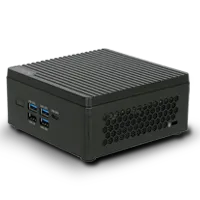
%20--%3e%3csvg%20version='1.1'%20xmlns='http://www.w3.org/2000/svg'%20xmlns:xlink='http://www.w3.org/1999/xlink'%20x='0px'%20y='0px'%20viewBox='0%200%2044%2044'%20style='enable-background:new%200%200%2044%2044;'%20xml:space='preserve'%3e%3cstyle%20type='text/css'%3e%20.st0{fill:%23FFFFFF;}%20.st1{display:none;}%20.st2{display:inline;}%20%3c/style%3e%3cg%20id='Motherboard'%3e%3cg%3e%3cg%3e%3cpath%20class='st0'%20d='M41.2,42.2H3.7c-0.5,0-1-0.4-1-1V21c-0.5,0-1-0.4-1-1v-3.8c0-0.5,0.4-1,1-1v-1.9c-0.5,0-1-0.4-1-1V7.6%20c0-0.5,0.4-1,1-1V2.8c0-0.5,0.4-1,1-1h37.5c0.5,0,1,0.4,1,1v38.4C42.2,41.7,41.7,42.2,41.2,42.2z%20M4.7,40.3h35.5V3.7H4.7v3.8%20c0,0.5-0.4,1-1,1v2.9c0.5,0,1,0.4,1,1v3.8c0,0.5-0.4,1-1,1v1.9c0.5,0,1,0.4,1,1V40.3z'/%3e%3c/g%3e%3cpath%20class='st0'%20d='M23,14.3v-1.9H21v-1.9c0-0.5-0.4-1-1-1h-1.9V7.6h-1.9v1.9h-1.9V7.6h-1.9v1.9h-1.9c-0.5,0-1,0.4-1,1v1.9H7.6%20v1.9h1.9v1.9H7.6v1.9h1.9v1.9c0,0.5,0.4,1,1,1h1.9V23h1.9V21h1.9V23h1.9V21h1.9c0.5,0,1-0.4,1-1v-1.9H23v-1.9H21v-1.9H23z%20M19.1,19.1h-7.7v-7.7h7.7V19.1z'/%3e%3cg%3e%3crect%20x='34.5'%20y='19.1'%20class='st0'%20width='1.9'%20height='1.9'/%3e%3c/g%3e%3cg%3e%3crect%20x='34.5'%20y='34.5'%20class='st0'%20width='1.9'%20height='1.9'/%3e%3c/g%3e%3cg%3e%3crect%20x='34.5'%20y='23'%20class='st0'%20width='1.9'%20height='9.6'/%3e%3c/g%3e%3cg%3e%3crect%20x='30.6'%20y='19.1'%20class='st0'%20width='1.9'%20height='1.9'/%3e%3c/g%3e%3cg%3e%3crect%20x='30.6'%20y='34.5'%20class='st0'%20width='1.9'%20height='1.9'/%3e%3c/g%3e%3cg%3e%3crect%20x='30.6'%20y='23'%20class='st0'%20width='1.9'%20height='9.6'/%3e%3c/g%3e%3cg%3e%3cpath%20class='st0'%20d='M35.4,17.2h-8.6c-0.5,0-1-0.4-1-1v-5.8c0-0.5,0.4-1,1-1h8.6c0.5,0,1,0.4,1,1v5.8%20C36.4,16.8,36,17.2,35.4,17.2z%20M27.8,15.3h6.7v-3.8h-6.7V15.3z'/%3e%3c/g%3e%3cg%3e%3crect%20x='7.6'%20y='26.8'%20class='st0'%20width='20.2'%20height='1.9'/%3e%3c/g%3e%3cg%3e%3crect%20x='7.6'%20y='30.6'%20class='st0'%20width='20.2'%20height='1.9'/%3e%3c/g%3e%3cg%3e%3crect%20x='7.6'%20y='34.5'%20class='st0'%20width='20.2'%20height='1.9'/%3e%3c/g%3e%3c/g%3e%3c/g%3e%3cg%20id='laptop'%20class='st1'%3e%3cg%20class='st2'%3e%3cg%3e%3cpath%20class='st0'%20d='M40.9,32.3h-1.5V10.6c0-0.6-0.5-1-1-1H5.7c-0.6,0-1,0.5-1,1v21.7H3.1V10.6C3.1,9.2,4.3,8,5.7,8h32.6%20c1.4,0,2.6,1.2,2.6,2.6V32.3z'/%3e%3c/g%3e%3cg%3e%3cpath%20class='st0'%20d='M39.2,36.7H4.8c-2.4,0-4.4-2-4.4-4.4v-0.8h17.4l0.9,0.9h6.6l0.9-0.9h17.4v0.8C43.6,34.7,41.6,36.7,39.2,36.7%20z%20M2.1,33.1c0.3,1.2,1.4,2.1,2.7,2.1h34.4c1.3,0,2.4-0.9,2.7-2.1H26.8L25.9,34h-7.9l-0.9-0.9H2.1z'/%3e%3c/g%3e%3c/g%3e%3c/g%3e%3cg%20id='system'%20class='st1'%3e%3cg%20class='st2'%3e%3cg%3e%3crect%20x='3.6'%20y='11'%20class='st0'%20width='5'%20height='1.7'/%3e%3c/g%3e%3cg%3e%3crect%20x='3.6'%20y='14.9'%20class='st0'%20width='5'%20height='1.7'/%3e%3c/g%3e%3cg%3e%3crect%20x='3.6'%20y='18.8'%20class='st0'%20width='5'%20height='1.7'/%3e%3c/g%3e%3cg%3e%3crect%20x='19.3'%20y='36.1'%20class='st0'%20width='14.9'%20height='1.7'/%3e%3c/g%3e%3cg%3e%3cpath%20class='st0'%20d='M41.6,33.3H11.8c-1,0-1.8-0.8-1.8-1.8V12.3c0-1,0.8-1.8,1.8-1.8h29.8c1,0,1.8,0.8,1.8,1.8v19.3%20C43.4,32.5,42.6,33.3,41.6,33.3z%20M11.8,12.3v19.3h29.8l0-19.3H11.8z'/%3e%3c/g%3e%3cg%3e%3cpath%20class='st0'%20d='M26.7,37.7c-0.5,0-0.9-0.4-0.9-0.9v-4.4c0-0.5,0.4-0.9,0.9-0.9c0.5,0,0.9,0.4,0.9,0.9v4.4%20C27.6,37.3,27.2,37.7,26.7,37.7z'/%3e%3c/g%3e%3cg%3e%3cpath%20class='st0'%20d='M42.5,28.9H11c-0.5,0-0.9-0.4-0.9-0.9c0-0.5,0.4-0.9,0.9-0.9h31.5c0.5,0,0.9,0.4,0.9,0.9%20C43.4,28.5,43,28.9,42.5,28.9z'/%3e%3c/g%3e%3cg%3e%3cg%3e%3cg%3e%3cg%3e%3cpath%20class='st0'%20d='M7.6,31.3c-0.6,0-1.1,0.5-1.1,1.1c0,0.6,0.5,1.1,1.1,1.1s1.1-0.5,1.1-1.1C8.8,31.8,8.3,31.3,7.6,31.3%20L7.6,31.3z'/%3e%3c/g%3e%3c/g%3e%3c/g%3e%3c/g%3e%3cpath%20class='st0'%20d='M12.9,34.3C12.9,34.3,12.9,34.3,12.9,34.3l0,1.6H2.4v-28h10.5v1.6c0,0,0,0,0,0h1.7c0,0,0,0,0,0V7.9%20c0-1-0.8-1.8-1.8-1.8H2.4c-1,0-1.8,0.8-1.8,1.8v28c0,1,0.8,1.8,1.8,1.8h10.5c1,0,1.8-0.8,1.8-1.8v-1.6c0,0,0,0,0,0H12.9z'/%3e%3c/g%3e%3c/g%3e%3c/svg%3e) Motherboard
Motherboard%20--%3e%3csvg%20version='1.1'%20xmlns='http://www.w3.org/2000/svg'%20xmlns:xlink='http://www.w3.org/1999/xlink'%20x='0px'%20y='0px'%20viewBox='0%200%2044%2044'%20style='enable-background:new%200%200%2044%2044;'%20xml:space='preserve'%3e%3cstyle%20type='text/css'%3e%20.st0{display:none;}%20.st1{display:inline;}%20.st2{fill:%23FFFFFF;}%20%3c/style%3e%3cg%20id='Motherboard'%20class='st0'%3e%3cg%20class='st1'%3e%3cg%3e%3cpath%20class='st2'%20d='M42.2,43.2H2.8c-0.6,0-1-0.5-1-1V21c-0.6,0-1-0.5-1-1v-4c0-0.6,0.5-1,1-1v-2c-0.6,0-1-0.5-1-1v-5%20c0-0.6,0.5-1,1-1v-4c0-0.6,0.5-1,1-1h39.3c0.6,0,1,0.5,1,1v40.3C43.2,42.7,42.7,43.2,42.2,43.2z%20M3.8,41.2h37.3V2.8H3.8v4%20c0,0.6-0.5,1-1,1v3c0.6,0,1,0.5,1,1v4c0,0.6-0.5,1-1,1v2c0.6,0,1,0.5,1,1V41.2z'/%3e%3c/g%3e%3cpath%20class='st2'%20d='M23,13.9v-2h-2v-2c0-0.6-0.5-1-1-1h-2v-2h-2v2h-2v-2h-2v2h-2c-0.6,0-1,0.5-1,1v2h-2v2h2v2h-2v2h2v2%20c0,0.6,0.5,1,1,1h2v2h2v-2h2v2h2v-2h2c0.6,0,1-0.5,1-1v-2h2v-2h-2v-2H23z%20M19,19h-8.1v-8.1H19V19z'/%3e%3cg%3e%3crect%20x='35.1'%20y='19'%20class='st2'%20width='2'%20height='2'/%3e%3c/g%3e%3cg%3e%3crect%20x='35.1'%20y='35.1'%20class='st2'%20width='2'%20height='2'/%3e%3c/g%3e%3cg%3e%3crect%20x='35.1'%20y='23'%20class='st2'%20width='2'%20height='10.1'/%3e%3c/g%3e%3cg%3e%3crect%20x='31.1'%20y='19'%20class='st2'%20width='2'%20height='2'/%3e%3c/g%3e%3cg%3e%3crect%20x='31.1'%20y='35.1'%20class='st2'%20width='2'%20height='2'/%3e%3c/g%3e%3cg%3e%3crect%20x='31.1'%20y='23'%20class='st2'%20width='2'%20height='10.1'/%3e%3c/g%3e%3cg%3e%3cpath%20class='st2'%20d='M36.1,17H27c-0.6,0-1-0.5-1-1V9.9c0-0.6,0.5-1,1-1h9.1c0.6,0,1,0.5,1,1v6.1C37.1,16.5,36.7,17,36.1,17z%20M28.1,14.9h7.1v-4h-7.1V14.9z'/%3e%3c/g%3e%3cg%3e%3crect%20x='6.9'%20y='27'%20class='st2'%20width='21.2'%20height='2'/%3e%3c/g%3e%3cg%3e%3crect%20x='6.9'%20y='31.1'%20class='st2'%20width='21.2'%20height='2'/%3e%3c/g%3e%3cg%3e%3crect%20x='6.9'%20y='35.1'%20class='st2'%20width='21.2'%20height='2'/%3e%3c/g%3e%3c/g%3e%3c/g%3e%3cg%20id='laptop'%3e%3cg%3e%3cg%3e%3cpath%20class='st2'%20d='M40.9,32.3h-1.5V10.6c0-0.6-0.5-1-1-1H5.7c-0.6,0-1,0.5-1,1v21.7H3.1V10.6C3.1,9.2,4.3,8,5.7,8h32.6%20c1.4,0,2.6,1.2,2.6,2.6V32.3z'/%3e%3c/g%3e%3cg%3e%3cpath%20class='st2'%20d='M39.2,36.7H4.8c-2.4,0-4.4-2-4.4-4.4v-0.8h17.4l0.9,0.9h6.6l0.9-0.9h17.4v0.8C43.6,34.7,41.6,36.7,39.2,36.7%20z%20M2.1,33.1c0.3,1.2,1.4,2.1,2.7,2.1h34.4c1.3,0,2.4-0.9,2.7-2.1H26.8L25.9,34h-7.9l-0.9-0.9H2.1z'/%3e%3c/g%3e%3c/g%3e%3c/g%3e%3cg%20id='system'%20class='st0'%3e%3cg%20class='st1'%3e%3cg%3e%3crect%20x='3.6'%20y='11'%20class='st2'%20width='5'%20height='1.7'/%3e%3c/g%3e%3cg%3e%3crect%20x='3.6'%20y='14.9'%20class='st2'%20width='5'%20height='1.7'/%3e%3c/g%3e%3cg%3e%3crect%20x='3.6'%20y='18.8'%20class='st2'%20width='5'%20height='1.7'/%3e%3c/g%3e%3cg%3e%3crect%20x='19.3'%20y='36.1'%20class='st2'%20width='14.9'%20height='1.7'/%3e%3c/g%3e%3cg%3e%3cpath%20class='st2'%20d='M41.6,33.3H11.8c-1,0-1.8-0.8-1.8-1.8V12.3c0-1,0.8-1.8,1.8-1.8h29.8c1,0,1.8,0.8,1.8,1.8v19.3%20C43.4,32.5,42.6,33.3,41.6,33.3z%20M11.8,12.3v19.3h29.8l0-19.3H11.8z'/%3e%3c/g%3e%3cg%3e%3cpath%20class='st2'%20d='M26.7,37.7c-0.5,0-0.9-0.4-0.9-0.9v-4.4c0-0.5,0.4-0.9,0.9-0.9c0.5,0,0.9,0.4,0.9,0.9v4.4%20C27.6,37.3,27.2,37.7,26.7,37.7z'/%3e%3c/g%3e%3cg%3e%3cpath%20class='st2'%20d='M42.5,28.9H11c-0.5,0-0.9-0.4-0.9-0.9c0-0.5,0.4-0.9,0.9-0.9h31.5c0.5,0,0.9,0.4,0.9,0.9%20C43.4,28.5,43,28.9,42.5,28.9z'/%3e%3c/g%3e%3cg%3e%3cg%3e%3cg%3e%3cg%3e%3cpath%20class='st2'%20d='M7.6,31.3c-0.6,0-1.1,0.5-1.1,1.1c0,0.6,0.5,1.1,1.1,1.1s1.1-0.5,1.1-1.1C8.8,31.8,8.3,31.3,7.6,31.3%20L7.6,31.3z'/%3e%3c/g%3e%3c/g%3e%3c/g%3e%3c/g%3e%3cpath%20class='st2'%20d='M12.9,34.3C12.9,34.3,12.9,34.3,12.9,34.3l0,1.6H2.4v-28h10.5v1.6c0,0,0,0,0,0h1.7c0,0,0,0,0,0V7.9%20c0-1-0.8-1.8-1.8-1.8H2.4c-1,0-1.8,0.8-1.8,1.8v28c0,1,0.8,1.8,1.8,1.8h10.5c1,0,1.8-0.8,1.8-1.8v-1.6c0,0,0,0,0,0H12.9z'/%3e%3c/g%3e%3c/g%3e%3c/svg%3e) Laptop
Laptop%20--%3e%3csvg%20version='1.1'%20id='圖層_2'%20xmlns='http://www.w3.org/2000/svg'%20xmlns:xlink='http://www.w3.org/1999/xlink'%20x='0px'%20y='0px'%20viewBox='0%200%2044%2044'%20style='enable-background:new%200%200%2044%2044;'%20xml:space='preserve'%3e%3cstyle%20type='text/css'%3e%20.st0{fill:%23FFFFFF;}%20%3c/style%3e%3cg%3e%3cg%3e%3crect%20x='10.6'%20y='37.3'%20class='st0'%20width='22.1'%20height='1.9'/%3e%3c/g%3e%3cg%3e%3cpath%20class='st0'%20d='M41.1,33H2.6c-1.1,0-1.9-0.9-1.9-1.9V6.5c0-1.1,0.9-1.9,1.9-1.9h38.5c1.1,0,1.9,0.9,1.9,1.9v24.6%20C43,32.2,42.2,33,41.1,33z%20M2.6,6.5v24.6h38.5l0-24.6H2.6z'/%3e%3c/g%3e%3cg%3e%3cpath%20class='st0'%20d='M24.7,39c-0.5,0-1-0.4-1-1v-4.8c0-0.5,0.4-1,1-1s1,0.4,1,1V38C25.7,38.6,25.3,39,24.7,39z'/%3e%3c/g%3e%3cg%3e%3cpath%20class='st0'%20d='M18.8,39c-0.5,0-1-0.4-1-1v-4.8c0-0.5,0.4-1,1-1s1,0.4,1,1V38C19.8,38.6,19.3,39,18.8,39z'/%3e%3c/g%3e%3cg%3e%3cpath%20class='st0'%20d='M41.6,28.2H2.1c-0.5,0-0.9-0.4-0.9-1c0-0.5,0.4-1,0.9-1h39.5c0.5,0,0.9,0.4,0.9,1%20C42.6,27.8,42.2,28.2,41.6,28.2z'/%3e%3c/g%3e%3c/g%3e%3c/svg%3e) AIO PC
AIO PC IPC
IPC CubeSat
'%3e%3cpath%20id='map-marker-alt'%20d='M3.819,11.121C.6,6.452,0,5.972,0,4.256a4.256,4.256,0,0,1,8.512,0c0,1.716-.6,2.2-3.819,6.865a.532.532,0,0,1-.875,0ZM4.256,6.03A1.773,1.773,0,1,0,2.483,4.256,1.773,1.773,0,0,0,4.256,6.03Z'%20transform='translate(-963.636%20287.322)'%20fill='%23fff'/%3e%3cpath%20id='Subtraction_8'%20data-name='Subtraction%208'%20d='M14.826,15.814a1.729,1.729,0,0,1-1.21-2.965H7.14a1.729,1.729,0,1,1-2.7.357,1.741,1.741,0,0,1,.629-.621L2.9,1.977H.741A.742.742,0,0,1,0,1.235V.741A.742.742,0,0,1,.741,0H3.908a.744.744,0,0,1,.726.593l.073.356,1.5,7.614,8.718-.032L16.3,1.977h.753a.741.741,0,0,1,.723.906l-1.46,6.424a.737.737,0,0,1-.723.577H6.535l.2.988h8.291a.741.741,0,0,1,.723.906l-.17.75a1.73,1.73,0,0,1-.754,3.287Z'%20transform='translate(-970%20292.701)'%20fill='%23fff'/%3e%3c/g%3e%3c/svg%3e)
HomeProducts MotherboardP6VXAT
P6VXAT(V1.0) (no longer for sale)
P6VXAT(V1.0) (no longer for sale)
FAQs for This Model
help_outline
What is the maximum CPU and HDD capacity supported on P6VXAT v1.0?
P6VXAT v1.0 maximum CPU and HDD supported information as below,
HDD:40G
CPU: Pentium III(FCPGA). 100Mhz FSB CPU - 1.0Ghz Pentium III(FCPGA). 133Mhz FSB CPU - 1.13Ghz
Celeron (PPGA). 66Mhz FSB CPU - No support Celeron (FCPGA). 66Mhz FSB CPU - 766Mhz
Celeron (FCPGA). 100Mhz FSB CPU - 1.1Ghz VIA C3 100Mhz FSB CPU - 700Mhz
VIA C3 133Mhz FSB CPU - 733Mhz
HDD:40G
CPU: Pentium III(FCPGA). 100Mhz FSB CPU - 1.0Ghz Pentium III(FCPGA). 133Mhz FSB CPU - 1.13Ghz
Celeron (PPGA). 66Mhz FSB CPU - No support Celeron (FCPGA). 66Mhz FSB CPU - 766Mhz
Celeron (FCPGA). 100Mhz FSB CPU - 1.1Ghz VIA C3 100Mhz FSB CPU - 700Mhz
VIA C3 133Mhz FSB CPU - 733Mhz
help_outline
We tried to run Intel Celeron 1200/100 MHZ 0.13 micron on P6VXAT rev. 1.0(BIOS 1.0b 07/13/2001) and it work, but POST reports PIII 305 MHz (87x3,5)all the time. Regardless of BIOS or jumper settings - it shows PIII 305.
Please update P6VXAT BIOS to 1.0c(08/13/2001
help_outline
P6VXAT motherboard with BIOS rev.1.0a.BIOS properly recognizes Pentium III 1133 (with L2 cache 256k),system cannot load operational system (DOS, Windows'9x) fromdiskette or from HDD with this CPU, it hangs.
Please update BIOS to version1.0c.
help_outline
A customer uses some P6VXAT with 1.2GHz Celeron. We send him the 1.4CBeta Bios which detect the CPU correctly but on every start a biosmessage appears "Please enter BIOS Setup to enter the correct ratio".The customer tried everything possible but the message appears at everystart/restart. We don't have such a CPU here. Can you please check this.Or if you have a newer BIOS release please send it to us.
Need to setup CPU speed via manual under CMOS setting
help_outline
I can't get the AC resume function to run smoothly with some power supplies, why?
P6VXAT had to disable the AC resume function on BIOS code. According to VIA, the problem was due to a limitation of the VIA686A chip. VIA suggested that this function be removed.
help_outline
Even if system is off, numlock key remains lit up on P6VXAT with BIOS V1.1 .
We used to reserve 5V SB for the keyboard power on function. As the 686B chipset is unable to fully support the keyboard power on function, we removed this function from our BIOS but the hardware designation remained. That is why the NumLock LED always is on after the system is shut down.
help_outline
Where can I find a BIOS upgrade for P6VXAD M/B?
The latest BIOS of P6VXAT is 2002/1/14 attached below. Please follow the steps to update BIOS:
1. Extract the utility and copy BIOS .bin file & awd flash tool into a bootable disk.
2. Boot from this bootable disk.
3. Execute the awd832b XXX.bin /sn/py/r
4. Load the default setting in BIOS setup.
1. Extract the utility and copy BIOS .bin file & awd flash tool into a bootable disk.
2. Boot from this bootable disk.
3. Execute the awd832b XXX.bin /sn/py/r
4. Load the default setting in BIOS setup.
More Question?
Please click General FAQ or fill out Technical Support Form to submit your question.