 Mini PC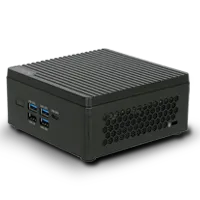
%20--%3e%3csvg%20version='1.1'%20xmlns='http://www.w3.org/2000/svg'%20xmlns:xlink='http://www.w3.org/1999/xlink'%20x='0px'%20y='0px'%20viewBox='0%200%2044%2044'%20style='enable-background:new%200%200%2044%2044;'%20xml:space='preserve'%3e%3cstyle%20type='text/css'%3e%20.st0{fill:%23FFFFFF;}%20.st1{display:none;}%20.st2{display:inline;}%20%3c/style%3e%3cg%20id='Motherboard'%3e%3cg%3e%3cg%3e%3cpath%20class='st0'%20d='M41.2,42.2H3.7c-0.5,0-1-0.4-1-1V21c-0.5,0-1-0.4-1-1v-3.8c0-0.5,0.4-1,1-1v-1.9c-0.5,0-1-0.4-1-1V7.6%20c0-0.5,0.4-1,1-1V2.8c0-0.5,0.4-1,1-1h37.5c0.5,0,1,0.4,1,1v38.4C42.2,41.7,41.7,42.2,41.2,42.2z%20M4.7,40.3h35.5V3.7H4.7v3.8%20c0,0.5-0.4,1-1,1v2.9c0.5,0,1,0.4,1,1v3.8c0,0.5-0.4,1-1,1v1.9c0.5,0,1,0.4,1,1V40.3z'/%3e%3c/g%3e%3cpath%20class='st0'%20d='M23,14.3v-1.9H21v-1.9c0-0.5-0.4-1-1-1h-1.9V7.6h-1.9v1.9h-1.9V7.6h-1.9v1.9h-1.9c-0.5,0-1,0.4-1,1v1.9H7.6%20v1.9h1.9v1.9H7.6v1.9h1.9v1.9c0,0.5,0.4,1,1,1h1.9V23h1.9V21h1.9V23h1.9V21h1.9c0.5,0,1-0.4,1-1v-1.9H23v-1.9H21v-1.9H23z%20M19.1,19.1h-7.7v-7.7h7.7V19.1z'/%3e%3cg%3e%3crect%20x='34.5'%20y='19.1'%20class='st0'%20width='1.9'%20height='1.9'/%3e%3c/g%3e%3cg%3e%3crect%20x='34.5'%20y='34.5'%20class='st0'%20width='1.9'%20height='1.9'/%3e%3c/g%3e%3cg%3e%3crect%20x='34.5'%20y='23'%20class='st0'%20width='1.9'%20height='9.6'/%3e%3c/g%3e%3cg%3e%3crect%20x='30.6'%20y='19.1'%20class='st0'%20width='1.9'%20height='1.9'/%3e%3c/g%3e%3cg%3e%3crect%20x='30.6'%20y='34.5'%20class='st0'%20width='1.9'%20height='1.9'/%3e%3c/g%3e%3cg%3e%3crect%20x='30.6'%20y='23'%20class='st0'%20width='1.9'%20height='9.6'/%3e%3c/g%3e%3cg%3e%3cpath%20class='st0'%20d='M35.4,17.2h-8.6c-0.5,0-1-0.4-1-1v-5.8c0-0.5,0.4-1,1-1h8.6c0.5,0,1,0.4,1,1v5.8%20C36.4,16.8,36,17.2,35.4,17.2z%20M27.8,15.3h6.7v-3.8h-6.7V15.3z'/%3e%3c/g%3e%3cg%3e%3crect%20x='7.6'%20y='26.8'%20class='st0'%20width='20.2'%20height='1.9'/%3e%3c/g%3e%3cg%3e%3crect%20x='7.6'%20y='30.6'%20class='st0'%20width='20.2'%20height='1.9'/%3e%3c/g%3e%3cg%3e%3crect%20x='7.6'%20y='34.5'%20class='st0'%20width='20.2'%20height='1.9'/%3e%3c/g%3e%3c/g%3e%3c/g%3e%3cg%20id='laptop'%20class='st1'%3e%3cg%20class='st2'%3e%3cg%3e%3cpath%20class='st0'%20d='M40.9,32.3h-1.5V10.6c0-0.6-0.5-1-1-1H5.7c-0.6,0-1,0.5-1,1v21.7H3.1V10.6C3.1,9.2,4.3,8,5.7,8h32.6%20c1.4,0,2.6,1.2,2.6,2.6V32.3z'/%3e%3c/g%3e%3cg%3e%3cpath%20class='st0'%20d='M39.2,36.7H4.8c-2.4,0-4.4-2-4.4-4.4v-0.8h17.4l0.9,0.9h6.6l0.9-0.9h17.4v0.8C43.6,34.7,41.6,36.7,39.2,36.7%20z%20M2.1,33.1c0.3,1.2,1.4,2.1,2.7,2.1h34.4c1.3,0,2.4-0.9,2.7-2.1H26.8L25.9,34h-7.9l-0.9-0.9H2.1z'/%3e%3c/g%3e%3c/g%3e%3c/g%3e%3cg%20id='system'%20class='st1'%3e%3cg%20class='st2'%3e%3cg%3e%3crect%20x='3.6'%20y='11'%20class='st0'%20width='5'%20height='1.7'/%3e%3c/g%3e%3cg%3e%3crect%20x='3.6'%20y='14.9'%20class='st0'%20width='5'%20height='1.7'/%3e%3c/g%3e%3cg%3e%3crect%20x='3.6'%20y='18.8'%20class='st0'%20width='5'%20height='1.7'/%3e%3c/g%3e%3cg%3e%3crect%20x='19.3'%20y='36.1'%20class='st0'%20width='14.9'%20height='1.7'/%3e%3c/g%3e%3cg%3e%3cpath%20class='st0'%20d='M41.6,33.3H11.8c-1,0-1.8-0.8-1.8-1.8V12.3c0-1,0.8-1.8,1.8-1.8h29.8c1,0,1.8,0.8,1.8,1.8v19.3%20C43.4,32.5,42.6,33.3,41.6,33.3z%20M11.8,12.3v19.3h29.8l0-19.3H11.8z'/%3e%3c/g%3e%3cg%3e%3cpath%20class='st0'%20d='M26.7,37.7c-0.5,0-0.9-0.4-0.9-0.9v-4.4c0-0.5,0.4-0.9,0.9-0.9c0.5,0,0.9,0.4,0.9,0.9v4.4%20C27.6,37.3,27.2,37.7,26.7,37.7z'/%3e%3c/g%3e%3cg%3e%3cpath%20class='st0'%20d='M42.5,28.9H11c-0.5,0-0.9-0.4-0.9-0.9c0-0.5,0.4-0.9,0.9-0.9h31.5c0.5,0,0.9,0.4,0.9,0.9%20C43.4,28.5,43,28.9,42.5,28.9z'/%3e%3c/g%3e%3cg%3e%3cg%3e%3cg%3e%3cg%3e%3cpath%20class='st0'%20d='M7.6,31.3c-0.6,0-1.1,0.5-1.1,1.1c0,0.6,0.5,1.1,1.1,1.1s1.1-0.5,1.1-1.1C8.8,31.8,8.3,31.3,7.6,31.3%20L7.6,31.3z'/%3e%3c/g%3e%3c/g%3e%3c/g%3e%3c/g%3e%3cpath%20class='st0'%20d='M12.9,34.3C12.9,34.3,12.9,34.3,12.9,34.3l0,1.6H2.4v-28h10.5v1.6c0,0,0,0,0,0h1.7c0,0,0,0,0,0V7.9%20c0-1-0.8-1.8-1.8-1.8H2.4c-1,0-1.8,0.8-1.8,1.8v28c0,1,0.8,1.8,1.8,1.8h10.5c1,0,1.8-0.8,1.8-1.8v-1.6c0,0,0,0,0,0H12.9z'/%3e%3c/g%3e%3c/g%3e%3c/svg%3e) Motherboard
Motherboard%20--%3e%3csvg%20version='1.1'%20xmlns='http://www.w3.org/2000/svg'%20xmlns:xlink='http://www.w3.org/1999/xlink'%20x='0px'%20y='0px'%20viewBox='0%200%2044%2044'%20style='enable-background:new%200%200%2044%2044;'%20xml:space='preserve'%3e%3cstyle%20type='text/css'%3e%20.st0{display:none;}%20.st1{display:inline;}%20.st2{fill:%23FFFFFF;}%20%3c/style%3e%3cg%20id='Motherboard'%20class='st0'%3e%3cg%20class='st1'%3e%3cg%3e%3cpath%20class='st2'%20d='M42.2,43.2H2.8c-0.6,0-1-0.5-1-1V21c-0.6,0-1-0.5-1-1v-4c0-0.6,0.5-1,1-1v-2c-0.6,0-1-0.5-1-1v-5%20c0-0.6,0.5-1,1-1v-4c0-0.6,0.5-1,1-1h39.3c0.6,0,1,0.5,1,1v40.3C43.2,42.7,42.7,43.2,42.2,43.2z%20M3.8,41.2h37.3V2.8H3.8v4%20c0,0.6-0.5,1-1,1v3c0.6,0,1,0.5,1,1v4c0,0.6-0.5,1-1,1v2c0.6,0,1,0.5,1,1V41.2z'/%3e%3c/g%3e%3cpath%20class='st2'%20d='M23,13.9v-2h-2v-2c0-0.6-0.5-1-1-1h-2v-2h-2v2h-2v-2h-2v2h-2c-0.6,0-1,0.5-1,1v2h-2v2h2v2h-2v2h2v2%20c0,0.6,0.5,1,1,1h2v2h2v-2h2v2h2v-2h2c0.6,0,1-0.5,1-1v-2h2v-2h-2v-2H23z%20M19,19h-8.1v-8.1H19V19z'/%3e%3cg%3e%3crect%20x='35.1'%20y='19'%20class='st2'%20width='2'%20height='2'/%3e%3c/g%3e%3cg%3e%3crect%20x='35.1'%20y='35.1'%20class='st2'%20width='2'%20height='2'/%3e%3c/g%3e%3cg%3e%3crect%20x='35.1'%20y='23'%20class='st2'%20width='2'%20height='10.1'/%3e%3c/g%3e%3cg%3e%3crect%20x='31.1'%20y='19'%20class='st2'%20width='2'%20height='2'/%3e%3c/g%3e%3cg%3e%3crect%20x='31.1'%20y='35.1'%20class='st2'%20width='2'%20height='2'/%3e%3c/g%3e%3cg%3e%3crect%20x='31.1'%20y='23'%20class='st2'%20width='2'%20height='10.1'/%3e%3c/g%3e%3cg%3e%3cpath%20class='st2'%20d='M36.1,17H27c-0.6,0-1-0.5-1-1V9.9c0-0.6,0.5-1,1-1h9.1c0.6,0,1,0.5,1,1v6.1C37.1,16.5,36.7,17,36.1,17z%20M28.1,14.9h7.1v-4h-7.1V14.9z'/%3e%3c/g%3e%3cg%3e%3crect%20x='6.9'%20y='27'%20class='st2'%20width='21.2'%20height='2'/%3e%3c/g%3e%3cg%3e%3crect%20x='6.9'%20y='31.1'%20class='st2'%20width='21.2'%20height='2'/%3e%3c/g%3e%3cg%3e%3crect%20x='6.9'%20y='35.1'%20class='st2'%20width='21.2'%20height='2'/%3e%3c/g%3e%3c/g%3e%3c/g%3e%3cg%20id='laptop'%3e%3cg%3e%3cg%3e%3cpath%20class='st2'%20d='M40.9,32.3h-1.5V10.6c0-0.6-0.5-1-1-1H5.7c-0.6,0-1,0.5-1,1v21.7H3.1V10.6C3.1,9.2,4.3,8,5.7,8h32.6%20c1.4,0,2.6,1.2,2.6,2.6V32.3z'/%3e%3c/g%3e%3cg%3e%3cpath%20class='st2'%20d='M39.2,36.7H4.8c-2.4,0-4.4-2-4.4-4.4v-0.8h17.4l0.9,0.9h6.6l0.9-0.9h17.4v0.8C43.6,34.7,41.6,36.7,39.2,36.7%20z%20M2.1,33.1c0.3,1.2,1.4,2.1,2.7,2.1h34.4c1.3,0,2.4-0.9,2.7-2.1H26.8L25.9,34h-7.9l-0.9-0.9H2.1z'/%3e%3c/g%3e%3c/g%3e%3c/g%3e%3cg%20id='system'%20class='st0'%3e%3cg%20class='st1'%3e%3cg%3e%3crect%20x='3.6'%20y='11'%20class='st2'%20width='5'%20height='1.7'/%3e%3c/g%3e%3cg%3e%3crect%20x='3.6'%20y='14.9'%20class='st2'%20width='5'%20height='1.7'/%3e%3c/g%3e%3cg%3e%3crect%20x='3.6'%20y='18.8'%20class='st2'%20width='5'%20height='1.7'/%3e%3c/g%3e%3cg%3e%3crect%20x='19.3'%20y='36.1'%20class='st2'%20width='14.9'%20height='1.7'/%3e%3c/g%3e%3cg%3e%3cpath%20class='st2'%20d='M41.6,33.3H11.8c-1,0-1.8-0.8-1.8-1.8V12.3c0-1,0.8-1.8,1.8-1.8h29.8c1,0,1.8,0.8,1.8,1.8v19.3%20C43.4,32.5,42.6,33.3,41.6,33.3z%20M11.8,12.3v19.3h29.8l0-19.3H11.8z'/%3e%3c/g%3e%3cg%3e%3cpath%20class='st2'%20d='M26.7,37.7c-0.5,0-0.9-0.4-0.9-0.9v-4.4c0-0.5,0.4-0.9,0.9-0.9c0.5,0,0.9,0.4,0.9,0.9v4.4%20C27.6,37.3,27.2,37.7,26.7,37.7z'/%3e%3c/g%3e%3cg%3e%3cpath%20class='st2'%20d='M42.5,28.9H11c-0.5,0-0.9-0.4-0.9-0.9c0-0.5,0.4-0.9,0.9-0.9h31.5c0.5,0,0.9,0.4,0.9,0.9%20C43.4,28.5,43,28.9,42.5,28.9z'/%3e%3c/g%3e%3cg%3e%3cg%3e%3cg%3e%3cg%3e%3cpath%20class='st2'%20d='M7.6,31.3c-0.6,0-1.1,0.5-1.1,1.1c0,0.6,0.5,1.1,1.1,1.1s1.1-0.5,1.1-1.1C8.8,31.8,8.3,31.3,7.6,31.3%20L7.6,31.3z'/%3e%3c/g%3e%3c/g%3e%3c/g%3e%3c/g%3e%3cpath%20class='st2'%20d='M12.9,34.3C12.9,34.3,12.9,34.3,12.9,34.3l0,1.6H2.4v-28h10.5v1.6c0,0,0,0,0,0h1.7c0,0,0,0,0,0V7.9%20c0-1-0.8-1.8-1.8-1.8H2.4c-1,0-1.8,0.8-1.8,1.8v28c0,1,0.8,1.8,1.8,1.8h10.5c1,0,1.8-0.8,1.8-1.8v-1.6c0,0,0,0,0,0H12.9z'/%3e%3c/g%3e%3c/g%3e%3c/svg%3e) Laptop
Laptop%20--%3e%3csvg%20version='1.1'%20id='圖層_2'%20xmlns='http://www.w3.org/2000/svg'%20xmlns:xlink='http://www.w3.org/1999/xlink'%20x='0px'%20y='0px'%20viewBox='0%200%2044%2044'%20style='enable-background:new%200%200%2044%2044;'%20xml:space='preserve'%3e%3cstyle%20type='text/css'%3e%20.st0{fill:%23FFFFFF;}%20%3c/style%3e%3cg%3e%3cg%3e%3crect%20x='10.6'%20y='37.3'%20class='st0'%20width='22.1'%20height='1.9'/%3e%3c/g%3e%3cg%3e%3cpath%20class='st0'%20d='M41.1,33H2.6c-1.1,0-1.9-0.9-1.9-1.9V6.5c0-1.1,0.9-1.9,1.9-1.9h38.5c1.1,0,1.9,0.9,1.9,1.9v24.6%20C43,32.2,42.2,33,41.1,33z%20M2.6,6.5v24.6h38.5l0-24.6H2.6z'/%3e%3c/g%3e%3cg%3e%3cpath%20class='st0'%20d='M24.7,39c-0.5,0-1-0.4-1-1v-4.8c0-0.5,0.4-1,1-1s1,0.4,1,1V38C25.7,38.6,25.3,39,24.7,39z'/%3e%3c/g%3e%3cg%3e%3cpath%20class='st0'%20d='M18.8,39c-0.5,0-1-0.4-1-1v-4.8c0-0.5,0.4-1,1-1s1,0.4,1,1V38C19.8,38.6,19.3,39,18.8,39z'/%3e%3c/g%3e%3cg%3e%3cpath%20class='st0'%20d='M41.6,28.2H2.1c-0.5,0-0.9-0.4-0.9-1c0-0.5,0.4-1,0.9-1h39.5c0.5,0,0.9,0.4,0.9,1%20C42.6,27.8,42.2,28.2,41.6,28.2z'/%3e%3c/g%3e%3c/g%3e%3c/svg%3e) AIO PC
AIO PC IPC
IPC CubeSat
'%3e%3cpath%20id='map-marker-alt'%20d='M3.819,11.121C.6,6.452,0,5.972,0,4.256a4.256,4.256,0,0,1,8.512,0c0,1.716-.6,2.2-3.819,6.865a.532.532,0,0,1-.875,0ZM4.256,6.03A1.773,1.773,0,1,0,2.483,4.256,1.773,1.773,0,0,0,4.256,6.03Z'%20transform='translate(-963.636%20287.322)'%20fill='%23fff'/%3e%3cpath%20id='Subtraction_8'%20data-name='Subtraction%208'%20d='M14.826,15.814a1.729,1.729,0,0,1-1.21-2.965H7.14a1.729,1.729,0,1,1-2.7.357,1.741,1.741,0,0,1,.629-.621L2.9,1.977H.741A.742.742,0,0,1,0,1.235V.741A.742.742,0,0,1,.741,0H3.908a.744.744,0,0,1,.726.593l.073.356,1.5,7.614,8.718-.032L16.3,1.977h.753a.741.741,0,0,1,.723.906l-1.46,6.424a.737.737,0,0,1-.723.577H6.535l.2.988h8.291a.741.741,0,0,1,.723.906l-.17.75a1.73,1.73,0,0,1-.754,3.287Z'%20transform='translate(-970%20292.701)'%20fill='%23fff'/%3e%3c/g%3e%3c/svg%3e)
首頁產品展示LaptopA900
此產品相關 FAQ 如下
help_outline
In the Sandra 2001/2002, it shows 66MHz of FSB in A900 system information, doesn't it be 133MHz FSB?
A900 is 133MHz FSB. The string in the BIOS is wrong. Please update A900 BIOS up to 2002/01/03 or above version.
help_outline
Audio is lost if I install 512MB RAM on the A900 under Windows 98SE. However, if you change the memory to 256MB or 128MB at the same configuration, the audio is immediately restored. Windows Me does not have this problem.
The A900 2002/01/03 BIOS (or above) has fixed this problem.
help_outline
We have encountered a problem running RedHat Linux 7.1, RedHat Linux 7.2, and Mandrake 8.0. <BR>1. While configuring, the XF86VGA screen goes off completely and there's no display, and<BR>2. Which type of TFT should be configured when it asks for a monitor setting?<BR>3. Are there any modem drivers for it under the Linux Operating System?
Please use the Frame Buffer Mode and please refer to the setting procedure below:
1. After you have installed the Linux OS, press "Ctrl+X" under the Linux logo image, then key in "linux 3" to enter text mode.
2. Please edit /etc/lilo.conf: please key "vi /etc/lilo.conf" then add vga=791, and please refer to the text below:
boot=/dev/hdamap=/boot/mapinstall=/boot/boot.bvga=791prompttimeout=50message=/boot/messagelineardefault=linuximage=/boot/vmlinuz-2.4.2-2 label=linux read-only root=/dev/hda5
When you have edited the file, please press "ESC" and key in ":wq" to save this file.
3. Edit/etc/X11/XF86Config-
4: Key in "cd /etc/X11" then type "vi XF86Config-4" to edit the file; please refer below:
Section "Device" # no known options Identifier "SiS 630" Driver "sis" VendorName "SiS 630" BoardName "SiS 630" #BusIDEndSectionSection "Device" # no known options Identifier "Linux Frame Buffer" Driver "fbdev" VendorName "SiS 630" BoardName "SiS 630" #BusIDEndSectionSection "
1. After you have installed the Linux OS, press "Ctrl+X" under the Linux logo image, then key in "linux 3" to enter text mode.
2. Please edit /etc/lilo.conf: please key "vi /etc/lilo.conf" then add vga=791, and please refer to the text below:
boot=/dev/hdamap=/boot/mapinstall=/boot/boot.bvga=791prompttimeout=50message=/boot/messagelineardefault=linuximage=/boot/vmlinuz-2.4.2-2 label=linux read-only root=/dev/hda5
When you have edited the file, please press "ESC" and key in ":wq" to save this file.
3. Edit/etc/X11/XF86Config-
4: Key in "cd /etc/X11" then type "vi XF86Config-4" to edit the file; please refer below:
Section "Device" # no known options Identifier "SiS 630" Driver "sis" VendorName "SiS 630" BoardName "SiS 630" #BusIDEndSectionSection "Device" # no known options Identifier "Linux Frame Buffer" Driver "fbdev" VendorName "SiS 630" BoardName "SiS 630" #BusIDEndSectionSection "
help_outline
The error occurs when we want to run the Java program on this machine. The following error message appears: HotSpot Virtual Machine Error, EXCEPTION_ILLEGAL_INSTRUCTION
We checked this issue using the new Ver. Java2 SDK V1.4.0 Beta3. The problem is due to an incompatibility issue between the VIA CPU and JDK v1.3.
help_outline
How do I install A900/A901 modem driver under RedHat 7.2 Linux OS?
Please follow the steps below:
1.When you get the modem driver, please create a folder then copy "install", "pctel.tar.gz" and "ptserial.tar.gz" files to /usr/pctel into this folder.
2. Go into text mode then go into this folder and set it up as follows:
(1) mv /usr/src/linux-2.4 usr/src/linux
(2) chmod 777 install
(3) ./installIf you follow this procedure, you can run the "lsmod" command and you can see the modem modules in the modules list. You will then be able to use the modem device. If you want use the modem device and don't like to install the modem driver every time please edit /etc/rc.d/rc.local to add text as rc.local file as below,#!/bin/sh## This script will be executed *after* all the other 'init' scripts.# You can put your own initialization in here if you don't# want to do the full Sys V style 'init' procedure.touch /var/lock/subsys/localinsmod /usr/pctel/lib/pctel.oinsmod /usr/pctel/lib/ptserial.oWhen you have finished the editing, press then key i
1.When you get the modem driver, please create a folder then copy "install", "pctel.tar.gz" and "ptserial.tar.gz" files to /usr/pctel into this folder.
2. Go into text mode then go into this folder and set it up as follows:
(1) mv /usr/src/linux-2.4 usr/src/linux
(2) chmod 777 install
(3) ./installIf you follow this procedure, you can run the "lsmod" command and you can see the modem modules in the modules list. You will then be able to use the modem device. If you want use the modem device and don't like to install the modem driver every time please edit /etc/rc.d/rc.local to add text as rc.local file as below,#!/bin/sh## This script will be executed *after* all the other 'init' scripts.# You can put your own initialization in here if you don't# want to do the full Sys V style 'init' procedure.touch /var/lock/subsys/localinsmod /usr/pctel/lib/pctel.oinsmod /usr/pctel/lib/ptserial.oWhen you have finished the editing, press
help_outline
There is a problem when playing the DVD movie on A900; under Windows 98SE (Portuguese), the images freeze on the screen; under Windows XP Profession, there is sound but no image. We are using the WinDVD V3.1 (on the CD coming with the system) software. The testing DVD movies are: BROKEN ARROW and Saving Private Ryan.
The issue is solved by the new WinDVD V3.1 Build 91.65 version.
help_outline
Could you let me know what the response time is for the LCD panel on A901?
A900/A901 has 4 kinds of LCD panel, namely Hyundai, AU, QDI and Chi-Mei (this is also the case with the A928). If you don't know what type of panel is on your machine, we could look up our BOM records and find out, if you can supply us the shipment number.Another way to find out is if you disassemble the LCD Panel and find the bar code to recognize the brand of LCD. But that's inconvenient. The response times are as follows:
AU B141XN03 Tr=20ms, Td=30ms (Typ.)
Hyundai 14X13-102 Tr=40ms, Td=50ms (Max.)
QDI 141X1LH03 Tr= 15ms, Td=30ms. (Typ.)
Chi-Mei N141X4 Tr=15ms, Td=35ms (Typ.)
AU B141XN03 Tr=20ms, Td=30ms (Typ.)
Hyundai 14X13-102 Tr=40ms, Td=50ms (Max.)
QDI 141X1LH03 Tr= 15ms, Td=30ms. (Typ.)
Chi-Mei N141X4 Tr=15ms, Td=35ms (Typ.)
help_outline
A900/A901/A928 QSI SCR-242 CD-ROM CHT7 firmware can't install Thiz Linux V5.0/V6.0 that is bundled with the ECS DeskNote.
Please update the QSI SCR-242 CD-ROM firmware to the CHA9 version that solves this issue.
help_outline
CC Winstone 2002 V1.0 will fail when Photoshop 6.0 run in Windows 98SE.
This is a VIA C3 CPU limitation.
help_outline
When we run CC WinStone 2002 in Windows 98SE, the error happens in photoshop 6.0 (bios:2002-01-03,memory share 8M)I try to change memory 256M, share memory 32M, but the bug still exists.
The problem is caused by a limitation of the VIA C3 CPU limitation under Windows 98SE OS with CC WinStone 2002. Please contact VIA for more information.
help_outline
A900 can't fax more than two pages if using WinFax software.
Winbond IR V5.60 driver has patched it. It's in the A928 CD V3.0.
help_outline
When we install Windows Me Portuguese version in A900 (2002/1/3 BIOS), the screen will turn black when we run "Install" command from MS-DOS.
A900 02/04/26 version BIOS has patched this issue.
help_outline
We can't install Turkish Windows OS such as Windows 98SE and Me. It restart itself or only black screen seems when we write "kur.exe" (in turkish OS we use this instead of SETUP.EXE) directly
Please update A900/A901 - 2002/06/06 BIOS or above version to patch this issue.
help_outline
When we use Thiz Linux v5.0/6.0 with DeskNote A900/A901/A928 that used QDI 141X1L, the screen will shift-up.
Please follow the steps below to run the patch file under Thiz Linux v6.0.
Step 1. Plug the USB FDD and click "USB_Storage" icon on the desk-top. (If you download the patch file from Web site in your HDD, you could pass this step).
Step 2. Please switch the mode to text mode.
Step 3. Copy the file to HDD /tmp from USB FDD. (If you download the patch file from Web site in your HDD, you could pass this step). CP /mnt/usb_storage1/display-patch.sh /tmp.
Step 4. Run the patch file. ./display-patch.sh
Step 5 Reboot the system.The dusplay-patch .sh please refer attached file, if you still have any problem please let me know.
Step 1. Plug the USB FDD and click "USB_Storage" icon on the desk-top. (If you download the patch file from Web site in your HDD, you could pass this step).
Step 2. Please switch the mode to text mode
Step 3. Copy the file to HDD /tmp from USB FDD. (If you download the patch file from Web site in your HDD, you could pass this step). CP /mnt/usb_storage1/display-patch.sh /tmp.
Step 4. Run the patch file. ./display-patch.sh
Step 5 Reboot the system.The dusplay-patch .sh please refer attached file, if you still have any problem please let me know.
help_outline
Where can we find A900/A901 WHQL certificate on Microsoft web site?
Please check this web and see MS catalog with A900.
http://www.microsoft.com/windows/catalog/wcbody.asp?subid=22=b0cd72d2-7a8f-493b-bf37-0fc33db35796=3=1=2
http://www.microsoft.com/windows/catalog/wcbody.asp?subid=22=b0cd72d2-7a8f-493b-bf37-0fc33db35796=3=1=2
help_outline
The screen brightness setting, when set to maximum (with the keyboard keys) resets to its default when the desknote is repowered. Is there any way to lock this at maximum brightness permanently?
DeskNote LCD panel can lock the setting when you restart the system. ECS R are concerned that it will result in lower performance if we add this function. The brightness setting is already set to 'maximum' as default in current shipment.
help_outline
I have a problem with DeskNote A900 & A901. I installed Linux v7.0, but it can't automatically shutdown.
Please update A900/A901 2002/06/06 BIOS or above version to patch this issue.
help_outline
Fax function under Windows XP with A900 doesn't work properly.
IR v5.60 WHQL driver solved this issue.
help_outline
The portuguese keyboards from NB A900 don't work the key "?/". This model of keyboard comes with the key "?/" between "F12" and "ScrLk" keys.
Please refer to attached file for A900/A901 BIOS to support this Brazil K/B. Please change K/B Input Language to Brazil that will support Brazil K/B.
More Question?
請點選 一般問題 或是填寫 技術支援表格 提交您的問題。